
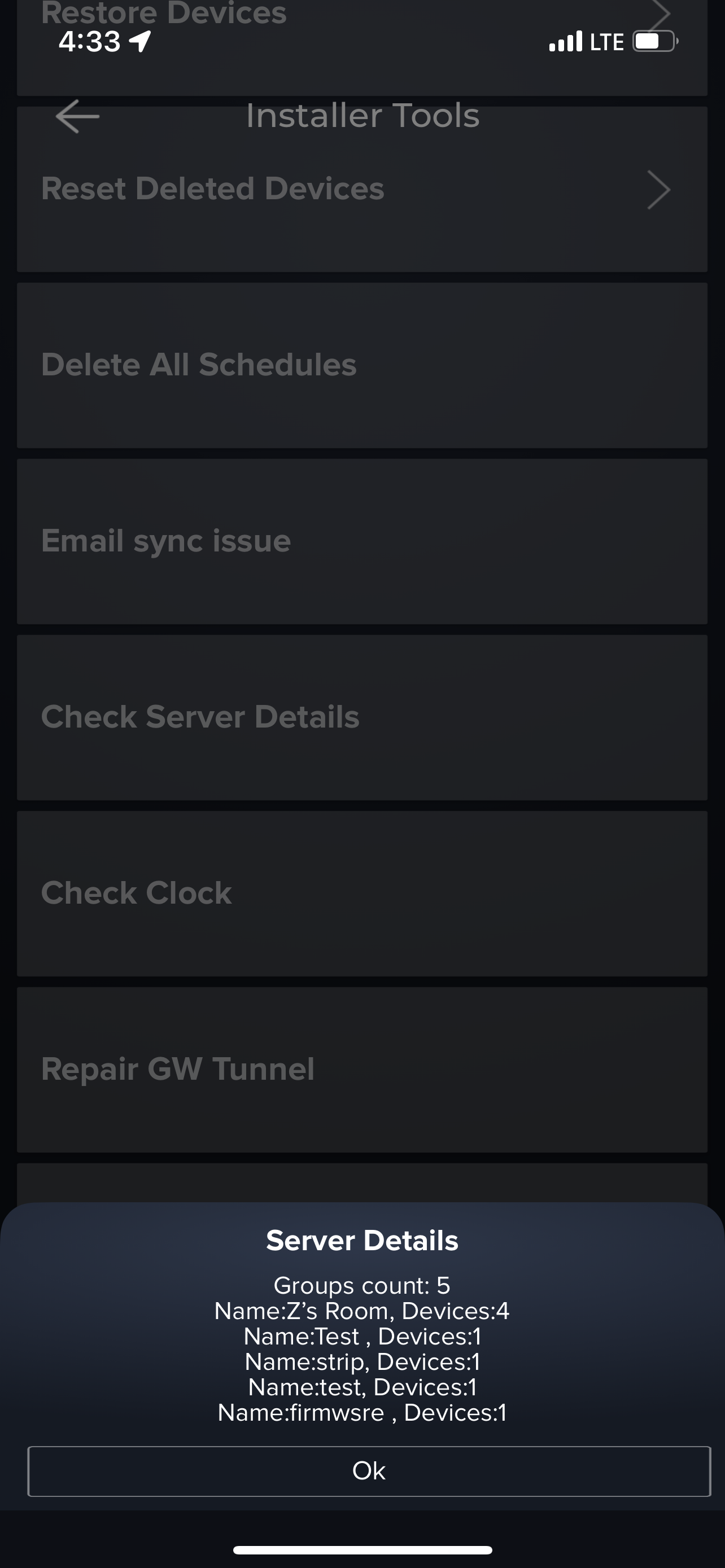
Check server details
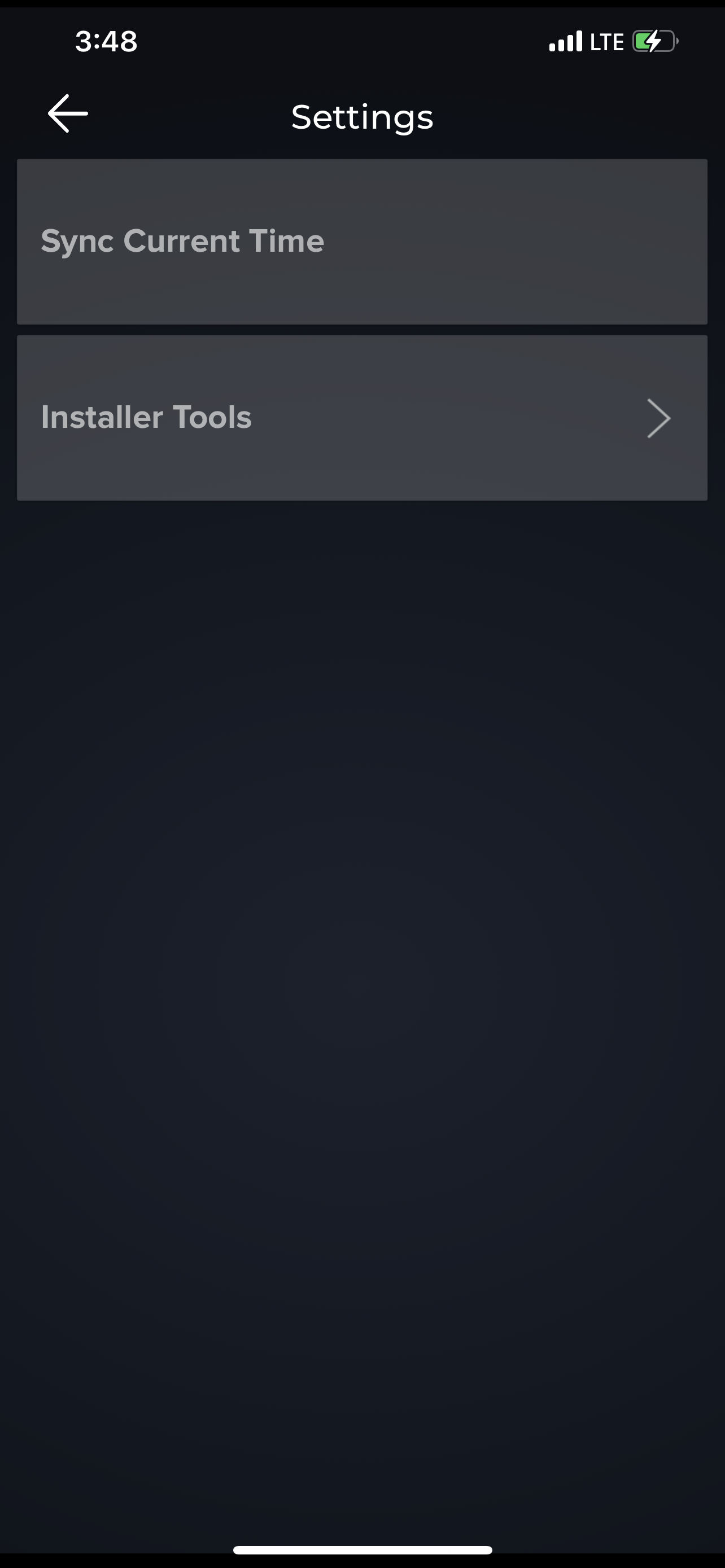
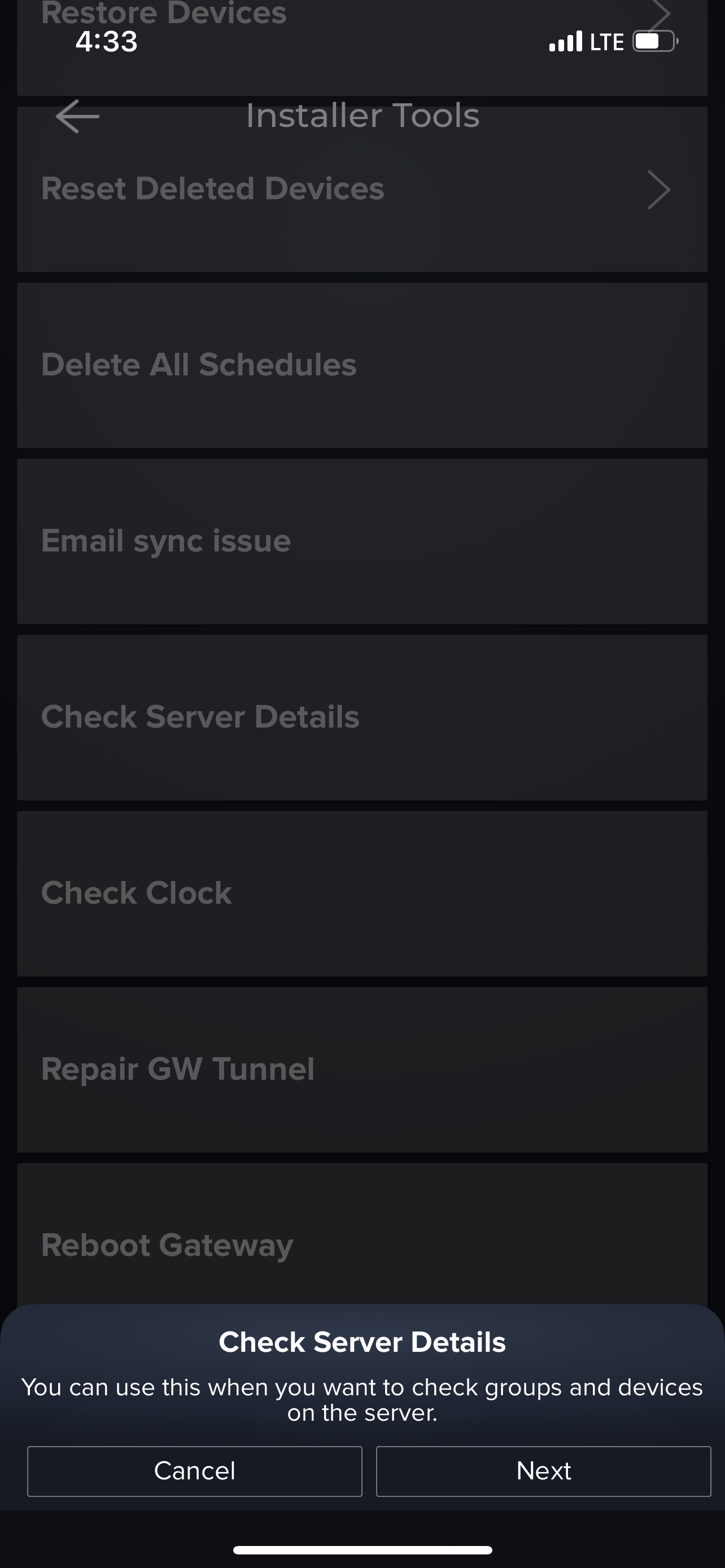
You can use this when you want to check groups and devices on the server. To get to Installer tools, click on the 3 lines in top left corner, and scroll down to select "Settings". Click on "Next" after the notification. Select the "Check Server Details" option.
 .
.  .
. 
If you have any questions, please reach out to us at support@ilumisolutions.com and we'd be happy to help.
Comments
0 comments
Please sign in to leave a comment.